JSY-MK-194T Power Meter
Description
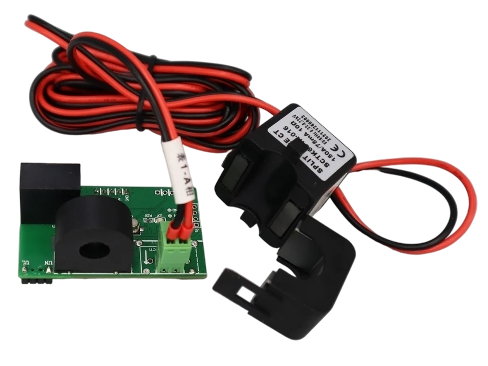
The JSY-MK-194T power meter shares common code with the JSY-MK-194T energy counter to communicate with the module. The rest of this documentation explains how to configure this common part and how to configure a JSY-MK-194T power meter.
This package reads grid exchange power from channel 2 of the JSY-MK-194T over UART, so it does not require the network.
Common Configuration
Shared configuration
solar_router/jsy-mk-194t_common.yaml configures UART communication and is used by both the power meter and the energy counter.
This file manages communication with the board. Add jsy-mk-194t_common.yaml and configure the GPIOs according to your hardware as shown in the example below:
Variables (common)
| Variable | Required | Default | Description |
|---|---|---|---|
uart_tx_pin | yes | — | GPIO pin for UART TX to the JSY-MK-194T |
uart_rx_pin | yes | — | GPIO pin for UART RX from the JSY-MK-194T |
uart_baud_rate | yes | — | UART baud rate (typically 4800) |
U_Ch1_internal | no | "true" | Hide Voltage Ch1 in Home Assistant when "true" |
I_Ch1_internal | no | "true" | Hide Current Ch1 in Home Assistant when "true" |
AP_Ch1_internal | no | "true" | Hide Active Power Ch1 in Home Assistant when "true" |
PAE_Ch1_internal | no | "true" | Hide Positive Active Energy Ch1 when "true" |
PF_Ch1_internal | no | "true" | Hide Power Factor Ch1 when "true" |
NAE_Ch1_internal | no | "true" | Hide Negative Active Energy Ch1 when "true" |
PD_Ch1_internal | no | "true" | Hide Power Direction Ch1 when "true" |
PD_Ch2_internal | no | "true" | Hide Power Direction Ch2 when "true" |
frequency_internal | no | "true" | Hide Frequency when "true" |
U_Ch2_internal | no | "true" | Hide Voltage Ch2 when "true" |
I_Ch2_internal | no | "true" | Hide Current Ch2 when "true" |
AP_Ch2_internal | no | "true" | Hide Active Power Ch2 when "true" (set "false" to expose) |
PAE_Ch2_internal | no | "true" | Hide Positive Active Energy Ch2 when "true" |
PF_Ch2_internal | no | "true" | Hide Power Factor Ch2 when "true" |
NAE_Ch2_internal | no | "true" | Hide Negative Active Energy Ch2 when "true" |
Power Meter Configuration
To enable the power meter, simply add it to your configuration as shown in the example below:
For a complete implementation example, refer to the JSY-MK-194T example.
Variables (power meter)
| Variable | Required | Default | Description |
|---|---|---|---|
power_meter_activated_at_start | no | "0" | Set to "1" to activate the power meter at boot |
power_sign | no | "1" | Polarity multiplier ("-1" to invert CT orientation) |
consumption_sensor_internal | no | "false" | Set to "true" to hide the unused Consumption sensor in Home Assistant |